
The footer content can be customized in a few different ways:
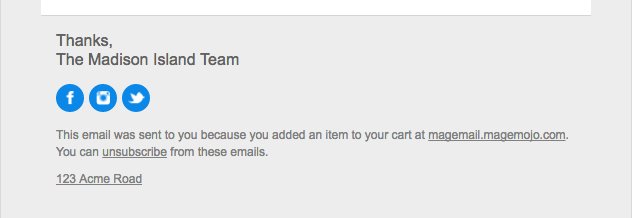
- Background Color – The background color (default gray) can be changed under Settings > Template. It is the background color of the email container.
- Signoff – The “Thanks, The Madison Islands Team” can be customized under Settings > Template and can also be overridden on an individual email trigger basis in the Sender settings.
- Social Media Icons – The social media icons that are listed can be enabled under Settings > Integrations. To change the color of the icons, you can use CSS under Settings > Template.
- Why Email Was Sent – The reason why the email was sent can be modified in a few ways. You can modify either just the “added an item to your cart” or you can modify the entire content under the email trigger settings under Advanced > Why emails is sent and Why email is sent (full).
- Unsubscribe – The “You can unsubscribe from these emails” can’t be modified in the settings or per email trigger. If you need it to be translated to a specific language, that is done by selecting your language under Settings > Configuration > Language. If your language isn’t listed there, let us know.
- Address – The address can be modified under Settings > Contact > Address.