
Setting up SPF and DKIM is an important part of improving deliverability of your emails since it authenticates a given email delivery service to send email on behalf of your domain.
Option 1 – If you have your own Sendgrid Account
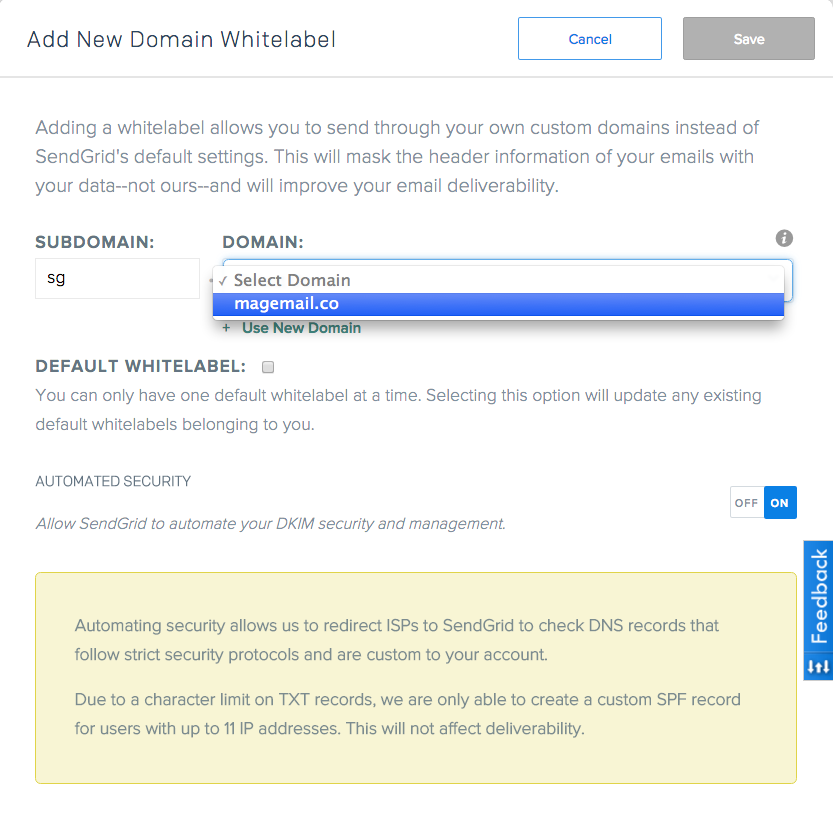
Jump into Settings > Whitelabels > Domains and add a new domain – use “sg” as the Subdomain, and select your domain from the dropdown.
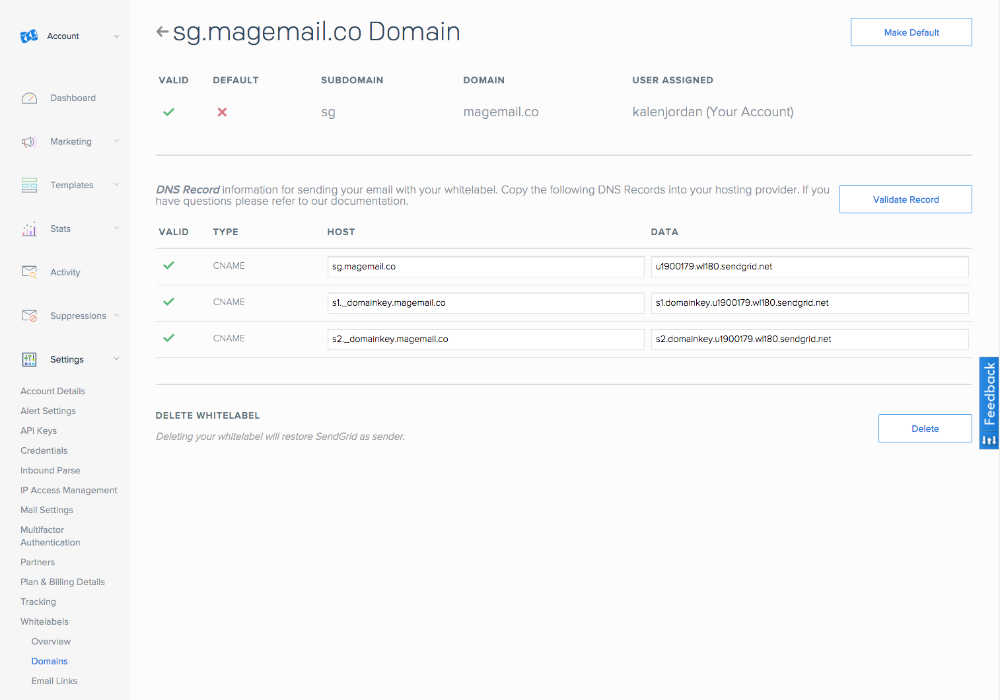
Then you’ll see a list of records that you’ll need to create:
Option 2 – If you don’t have your own Sendgrid Account
If you don’t have your own Sendgrid account and are instead using the MageMail Sendgrid account, you’ll want to setup the following DNS records:
CNAME
| Type | Host | Data |
| CNAME | sg. example.com | u1900179.wl180.sendgrid.net |
| CNAME | s1._domainkey. example.com | s1.domainkey.u1900179.wl180.sendgrid.net |
| CNAME | s2._domainkey. example.com | s2.domainkey.u1900179.wl180.sendgrid.net |
Replacing example.com with your domain (without the www).