
YouTube helps businesses connect with audiences through product demonstrations, educational videos, tutorials, and brand stories. However, producing these videos regularly can take considerable time, especially when marketing teams handle multiple campaigns.
Editing often involves reviewing raw footage, removing mistakes, improving audio, adding captions, and preparing content for different platforms.
AI-powered video editing is changing this workflow. It helps marketers manage repetitive tasks while giving them more time to focus on storytelling, messaging, and creative decisions.
What Is AI-Powered YouTube Video Editing?
AI-powered YouTube video editing involves using artificial intelligence to organise footage, create rough cuts, generate captions, improve audio, and simplify post-production.
Some tools analyse recordings and suggest edits, while others let users describe changes through written instructions.
These features help marketing teams prepare videos more efficiently without giving up control over the final result.
How Is AI Changing YouTube Video Editing?
1. Creating Rough Cuts Faster
Reviewing recordings and selecting the best takes can be time-consuming.
AI tools can identify spoken dialogue, detect pauses, remove filler words, and help arrange useful clips into an initial sequence.
Editors can then review the rough cut and adjust the pacing to match the video’s message.
2. Simplifying Captions and Subtitles
AI transcription tools turn spoken audio into timed captions, reducing the need to type every sentence manually.
Editors can correct errors, adjust caption styles, and prepare transcripts.
Clear captions can also help viewers understand product demonstrations, as covered in MageMail’s guide to ecommerce product videos.
3. Improving Audio and Visual Quality
Clear audio and consistent visuals are important for educational and promotional videos.
AI editing tools can help reduce background noise, balance dialogue, improve lighting, and adjust footage.
These features are useful when teams record interviews, webinars, or product demonstrations without professional studio equipment.
4. Turning Long Videos Into Shorts
One YouTube video can provide content for several shorter clips Teams can also reuse product demonstrations in ecommerce email campaigns..
AI tools can identify useful moments, help reframe footage vertically, and generate captions for YouTube Shorts or Instagram Reels.
This allows businesses to share existing content across multiple marketing channels.
5. Improving Team Collaboration
Marketing videos often require input from writers, designers, editors, and managers.
Cloud-based editing platforms can support shared timelines, review comments, and simultaneous editing.
This makes it easier for teams to manage revisions without repeatedly transferring large files.
3 AI YouTube Video Editing Tools for Content Marketers
Different tools support different editing needs. Here are three platforms that can help marketing teams create and refine YouTube content.
1. Invideo
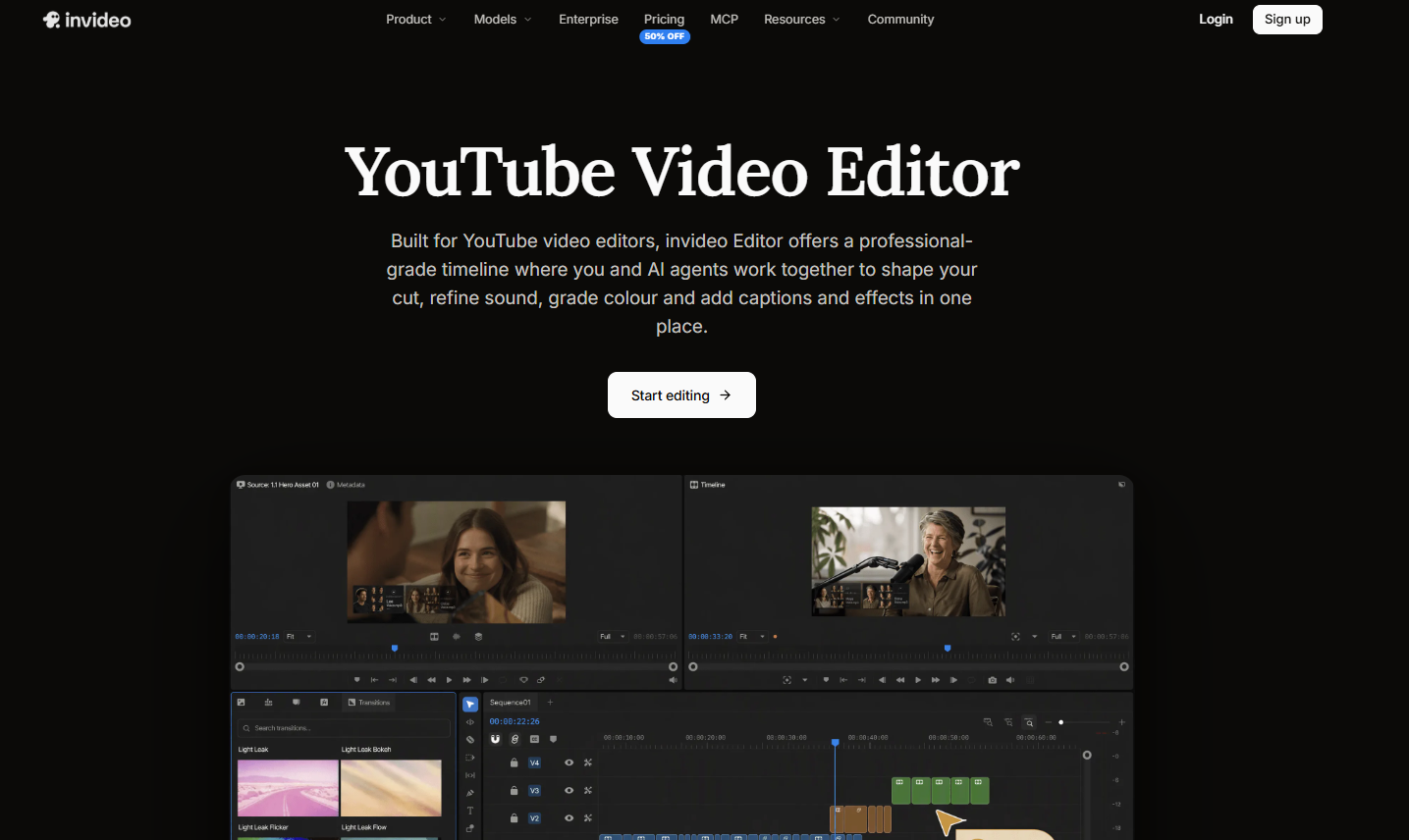
Invideo is a browser-based video editing platform that combines professional timeline controls with AI editing agents. Its YouTube Video Editor helps marketers organise footage, create rough cuts, improve sound, add captions, and prepare videos for publishing.
Its AI agents can identify dialogue, actors, props, and camera angles, making recordings easier to navigate. They can remove unwanted takes, cut footage to music, and follow the pacing of a reference video. Compatible external AI agents can also perform editing tasks directly on the timeline.
The platform supports detailed colour grading, keyframe animation, audio mixing, and real-time collaboration. Teams can create Shorts, add YouTube chapters, export up to 4K, or continue editing in other professional software.
Key features:
- AI editing: Footage logging, rough cuts, beat-based editing, and reference matching.
- Timeline controls: Multitrack editing, keyframes, speed changes, and transitions.
- Audio and colour: Mixing controls, colour wheels, curves, LUTs, and audio effects.
- Captions and visuals: Transcript trimming, subtitles, resizing, stabilisation, and background replacement.
- AI connections: Connect compatible external agents and access supported AI models.
- Collaboration: Cloud-synced projects, simultaneous editing, and frame-specific comments.
- Exports: Free 1080p watermark-free export, up to 4K output, audio formats, and professional editing handoffs.
Best for: Marketing teams and YouTube creators who want AI assistance, professional editing controls, and collaboration within one workspace.
Where it falls short: AI edits still require review, and specialised desktop workflows such as complex nested sequences or node-based colour grading may be better suited to dedicated desktop software.
2. Descript
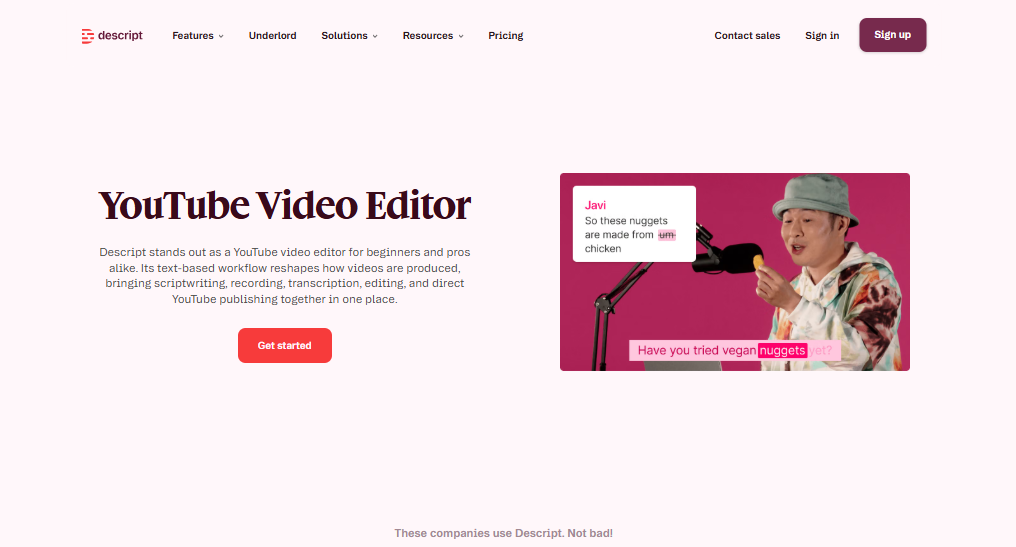
Descript is an AI-powered video and audio editor built around transcript-based editing. It allows marketers to edit recordings by changing the words in a transcript instead of manually finding every section on a timeline.
Its AI co-editor, Underlord, helps with editing tasks, while other features remove filler words, improve audio, and correct eye contact. Descript also supports scene layouts, generated visuals, subtitles, and video translation.
Teams can record interviews, edit webinars, add supporting footage, and create shorter clips from longer recordings. Shared projects, comments, and publishing tools make it useful for collaborative content production.
Key features:
- AI editing: Underlord assistance, filler word removal, and automated clip creation.
- Timeline controls: Transcript-based cuts, scene arrangements, layouts, and visual adjustments.
- Audio and visuals: Studio Sound, eye contact correction, lighting, and background removal.
- Captions and visuals: Automatic transcription, styled subtitles, and supporting B-roll.
- AI connections: AI-generated media, script assistance, and supported external integrations.
- Collaboration: Shared editing projects, comments, and review workflows.
- Exports: Video and audio exports, YouTube publishing, and repurposed social clips.
Best for: Content marketers producing interviews, podcasts, webinars, tutorials, and talking-head YouTube videos.
Where it falls short: Transcript-based editing is less suitable for projects requiring extensive frame-by-frame visual effects or complex motion design.
3. CapCut
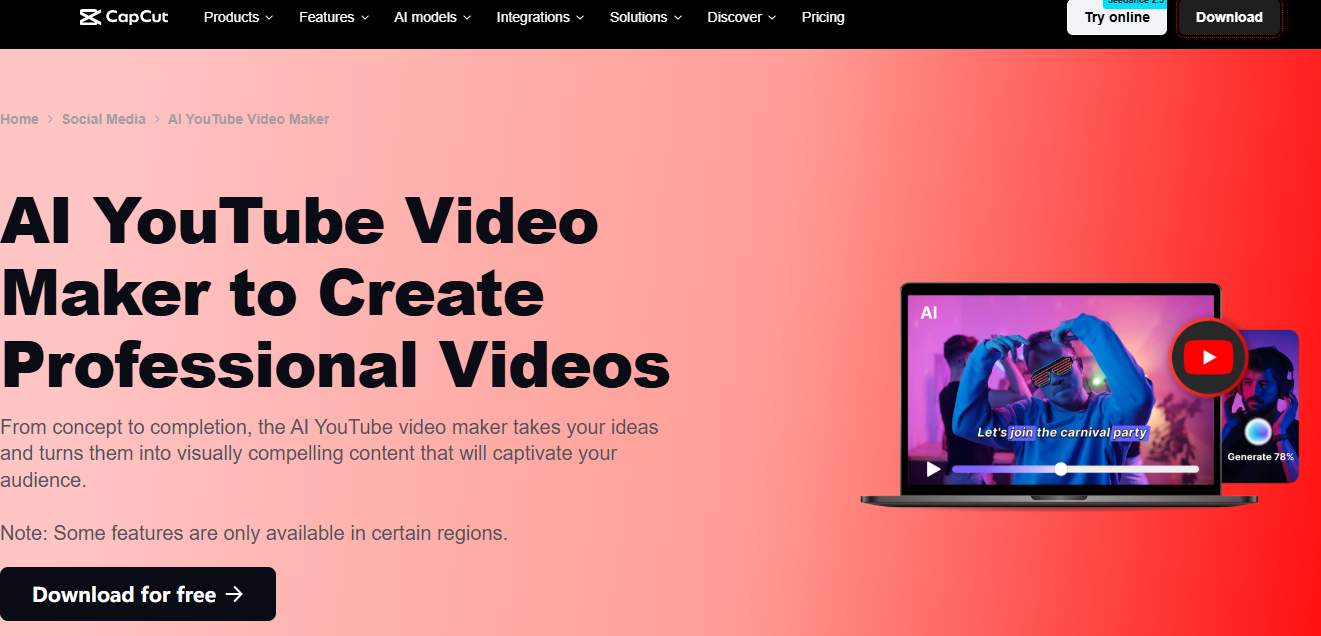
CapCut is a video editing platform that combines timeline editing with AI tools for creating social media and YouTube content. It is available across desktop, web, and mobile environments.
Its features include automatic captions, background removal, text-to-speech, video effects, and AI-assisted content creation. Marketers can arrange footage, add music, adjust clip timing, and create videos in different aspect ratios.
CapCut is particularly useful for YouTube Shorts, product promotions, and fast-moving social campaigns. Its templates and creative tools help smaller teams prepare content without building every visual element from scratch.
Key features:
- AI editing: Smart editing features, beat-based tools, and automated video creation.
- Timeline controls: Clip trimming, speed adjustments, transitions, and layered editing.
- Audio and visuals: Music tools, text-to-speech, sound effects, and visual enhancements.
- Captions and visuals: Automatic subtitles, background removal, and text animations.
- AI connections: Built-in AI image and video generation features.
- Collaboration: Project-sharing and cloud workflows where supported.
- Exports: Videos for YouTube, Shorts, TikTok, and other social media formats.
Best for: Social media marketers and creators producing YouTube Shorts, promotional clips, and frequent video updates.
Where it falls short: Some features depend on the device, subscription, or region, which can affect workflow consistency.
How Can Marketers Build an AI-Assisted Editing Workflow?
A structured editing process helps teams maintain quality while reducing repetitive work.
Step 1: Organise Raw Footage
Collect recordings, product visuals, voiceovers, music, and supporting graphics. Keep files organised so editors can locate them quickly For product demonstrations, a clear product video workflow can also help teams plan the shots before editing..
Step 2: Generate a Rough Cut
Use AI to identify useful takes, remove unwanted pauses, and arrange footage. Review the sequence before making detailed changes.
Step 3: Refine the Video
Adjust pacing, improve audio, add supporting visuals, and check captions for accuracy.
Step 4: Prepare for YouTube
Add a relevant title, clear description, accurate captions, and helpful chapters.
These practices can support a wider content strategy by making published information easier to understand.
Step 5: Repurpose the Content
Identify useful moments and prepare shorter versions for YouTube Shorts, Instagram Reels, and other channels.
How Does AI Editing Support YouTube Discoverability?
AI editing can help improve captions, structure, audio quality, and content organisation. However, these improvements do not automatically guarantee higher rankings or AI citations.
Marketers should prioritise accurate information, clear explanations, and useful video chapters.
Well-edited videos should serve viewers first while making important information easier to find.
How Can Marketers Measure Video Performance?
Useful metrics include audience retention, average view duration, engagement, website visits, and conversions Comparing these results with email marketing performance can also show how videos support sales..
Teams can compare long-form videos with Shorts to identify content that attracts relevant audiences.
MageMail’s email marketing tips offer additional ideas for measuring how subscribers respond to promotional content.
Conclusion
AI is making YouTube editing more manageable for content marketers. It helps teams create rough cuts, improve captions, refine audio, and prepare content for different platforms.
Invideo, Descript, and CapCut offer different editing approaches suited to different workflows.
Combining AI assistance with thoughtful editing and clear storytelling can help businesses produce more useful video content.
Frequently Asked Questions
1. How does AI help with YouTube video editing?
AI can organise footage, remove unwanted pauses, create captions, improve audio, and suggest rough cuts. These features help reduce repetitive editing tasks.
2. Can AI edit an entire YouTube video?
Some platforms can assemble footage and perform multiple editing tasks automatically. Human review is still important for checking accuracy, pacing, and storytelling.
3. Which AI editor is suitable for YouTube marketing?
The choice depends on the workflow. Invideo offers AI agents and professional timeline controls, Descript focuses on transcript editing, and CapCut supports social media video creation.
4. Does AI editing improve YouTube SEO?
AI editing does not guarantee better rankings. However, clear audio, accurate captions, helpful chapters, and engaging videos can improve accessibility and make content easier to understand.